Your complete session guide
Everything you need to know — from your first login to receiving your session report. Read through once before your first session.
Getting Started
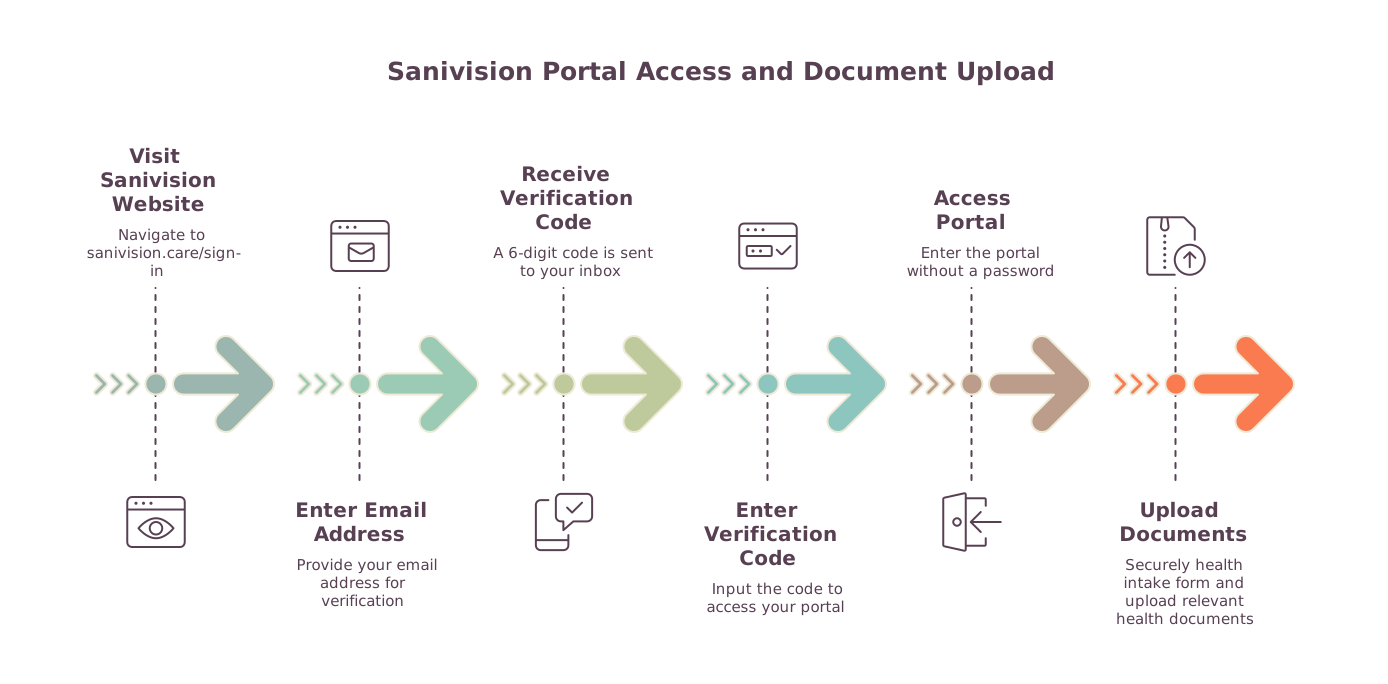
Your account is created the first time you sign in. Simply visit sanivision.care/sign-in, enter your email address, and a 6-digit verification code will be sent to your inbox. Enter the code to access your portal — no password, no waiting. Each code is valid for 15 minutes.
Your portal includes a secure document space where you can upload anything relevant to your sessions — a current medication list, a photo of a drug box, a medical report, or any other health-related document. Your practitioner uses this information to personalise the session work. All uploads are private to your account.
Booking a Session
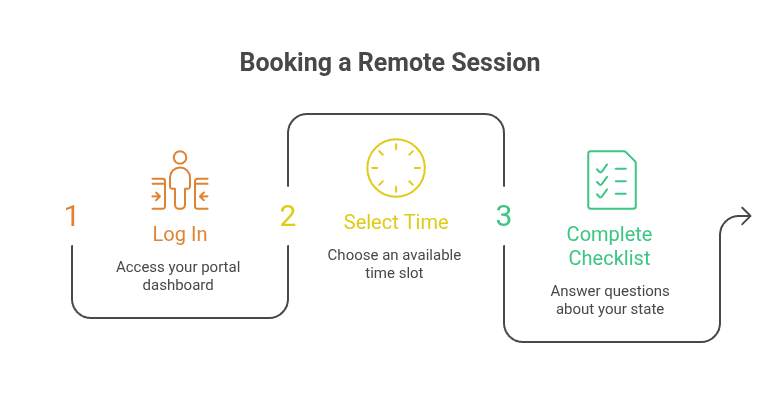
Log in and go to your dashboard. Scroll to the calendar section — available time slots are shown for each date.
Sessions are offered at fixed time slots (Switzerland time): 01:30 · 03:15 · 05:00 · 06:45 · 08:30 · 10:15 · 12:00 · 13:45. Slots already taken appear crossed out. Choose one that works for you.
All sessions are conducted remotely. You do not need to be at a specific location — only in a quiet, comfortable space away from screens and electronic devices. No call or video is required.
Before confirming, you will be asked a short series of questions about your current physical and energetic state. This allows the practitioner to calibrate the session. Your answers are stored privately in your portal.
Payment
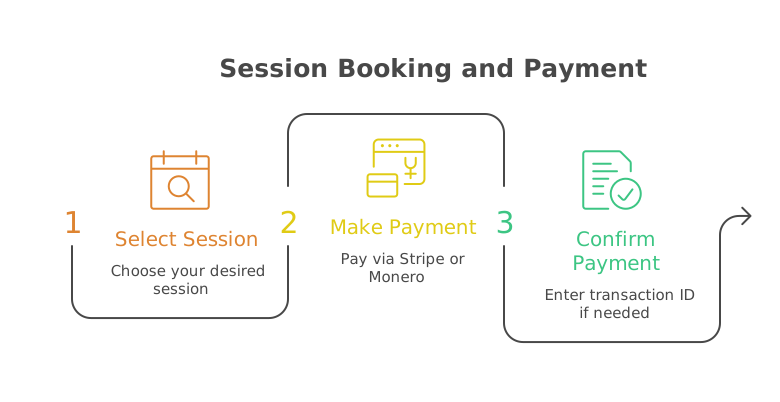
After selecting your session, click the payment link. You will be redirected to a secure Stripe checkout. Enter your card details. Once the payment is processed, your session is automatically confirmed.
If your practitioner offers Monero payment, you will see the EUR amount due and a wallet address in your portal. Send the exact amount in XMR to that address, then return to your portal and enter your transaction ID. Your session will be marked confirmed once your practitioner verifies receipt.
You will receive a confirmation email once your booking and payment are complete. Your session will appear in your dashboard with the date, time, and status.
On the Day of Your Session
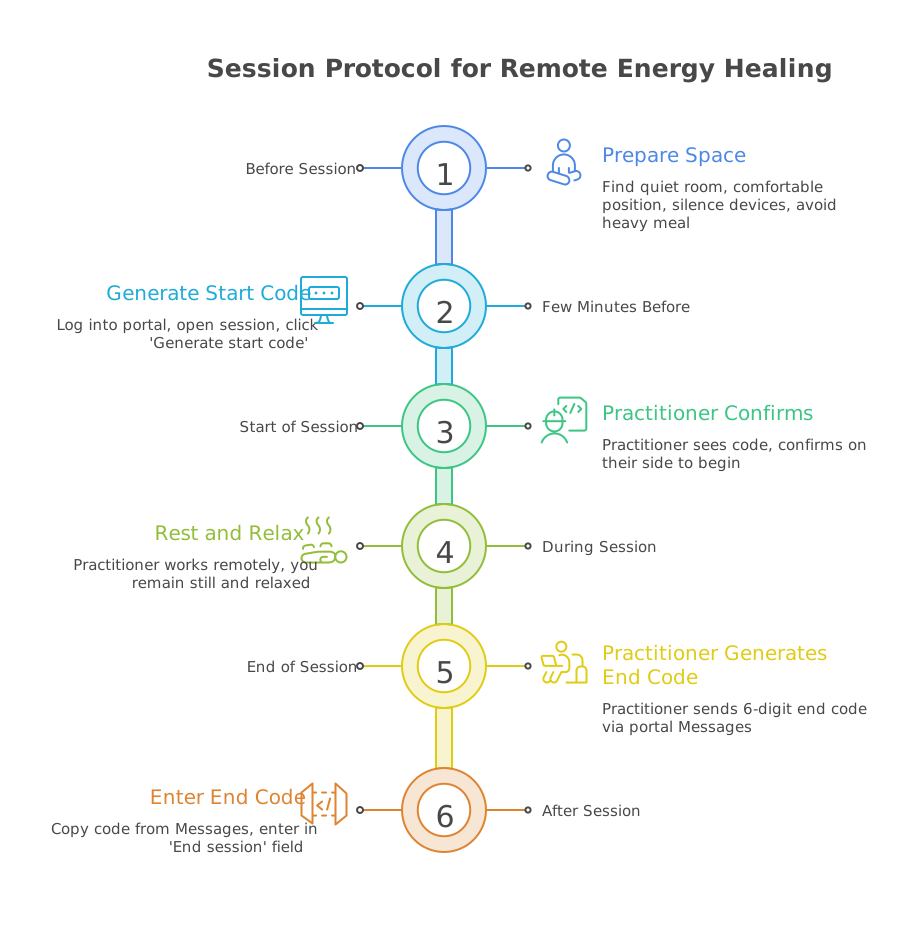
Find a quiet room. Lie down or sit in a comfortable, supported position. Remove jewellery if possible. Silence your phone and turn off screens. Avoid eating a heavy meal in the hour before your session.
Once inside your portal, you have access to a private, encrypted messaging channel with your practitioner. This is not a public inbox — all exchanges are strictly confidential and visible only to you and your practitioner. This channel is essential once your sessions begin: it is how the start and end codes are transmitted, and how you can raise any question before or after a session.
A few minutes before your session time, log into your portal and open your session. Click 'Generate start code' — a 6-digit code will appear on your screen and is automatically sent to your practitioner via the portal Messages. Your practitioner will see the code in their panel and confirm it on their side to start the session. This mutual confirmation ensures you are mentally present and focused for the session, and that your practitioner is ready to begin the work. This step is optional — you may choose to skip it if you prefer to begin your session without a formal check-in.
Simply rest. Your practitioner works remotely on your energetic field — there is nothing you need to do except remain still and relaxed. The session typically lasts 90 to 120 minutes. Sensations vary: warmth, tingling, heaviness, or simply calm are all normal.
When the session is complete, your practitioner generates a 6-digit end code which is automatically sent to you via portal Messages. Open your Messages, copy the code, and enter it in the 'End session' field. This closes the session and confirms completion on both sides. This step is optional — entering the end code is at your discretion.
After Your Session
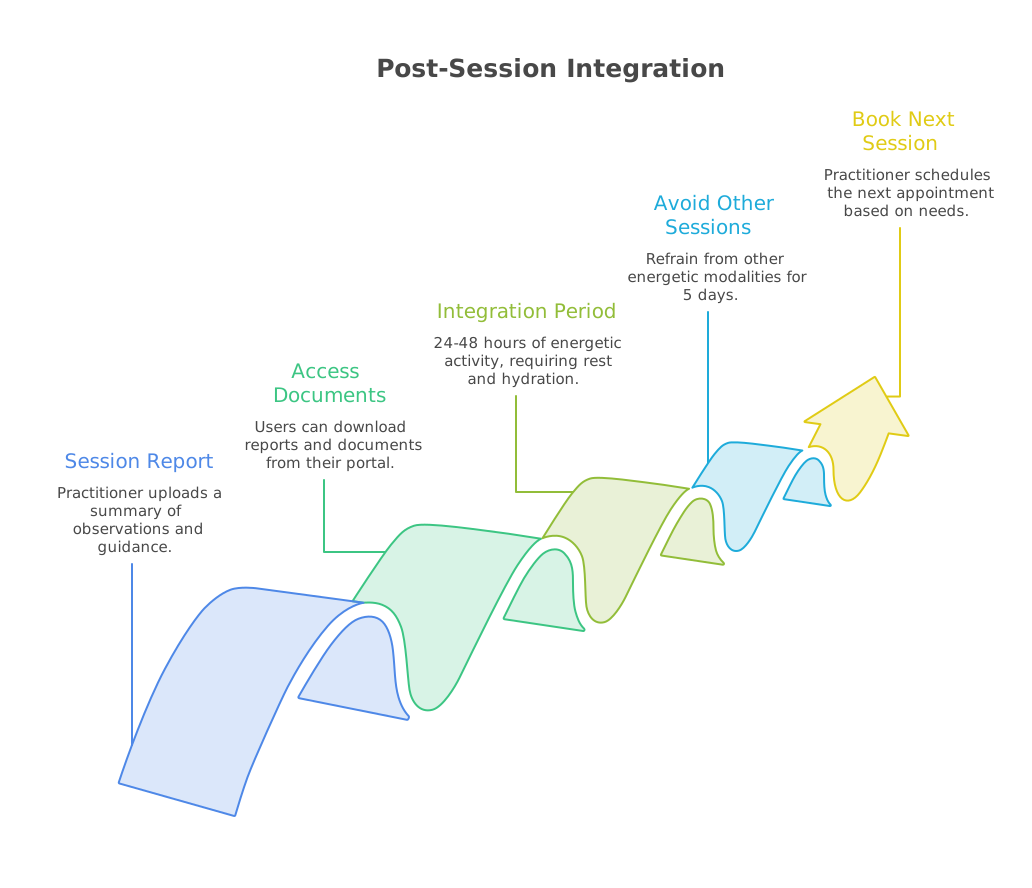
Your practitioner will upload a written report to your portal summarising observations, frequency alignments applied, and any guidance for the integration period.
All reports and documents shared by your practitioner are accessible in the 'My Documents' section of your dashboard at any time. You can download them for your records.
The 24 to 48 hours following a session are often the most active energetically. Drink plenty of water, rest well, and avoid intense stimulation if possible. Notice how your body and mind respond.
It is not recommended to proceed with other energetic sessions — such as acupuncture or similar modalities — for at least 5 days after a Sanivision bioenergetic session, in order to allow the vibratory work to integrate fully without interference.
Your practitioner sets a new appointment based on the needs identified from your vibratory level. We book the session and send you an email with guidelines.
Your journey begins with a single sign-in
Enter your email address below — a 6-digit code will be sent to you instantly. No password, no setup required.
Access my portal